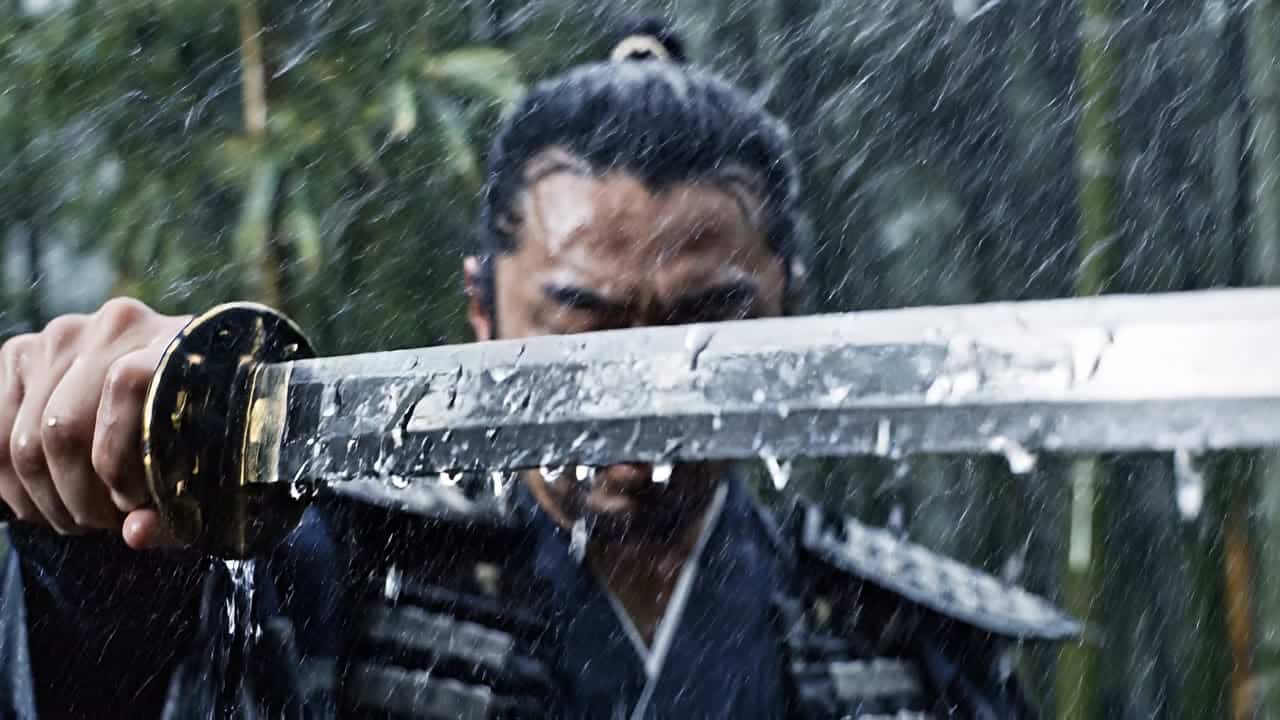
OpenAI Sora 2
7.2/10Nota editorial
Mejor valorado en: Aspecto de las personas, Calidad visual
Comparar modelos
Mira lo que puede crear cada modelo. Compara calidad, ajustes y precio.
Compara OpenAI Sora 2 y Google Veo 3.1 por especificaciones clave, precios, controles y una puntuación de 10 criterios.
Mejor valorado en: Aspecto de las personas, Calidad visual
Mejor valorado en: Audio y sincronización labial, Sigue tus instrucciones
Ejemplos independientes, con prompts y ajustes distintos.
Modelos de los ejemplos: Sora 2
Explorar ejemplosSon evaluaciones editoriales de MaxVideoAI, no resultados obtenidos con el mismo prompt. Las fechas indican la actualización de las notas. MaxVideoAI comercializa acceso a los modelos que presenta.
Última actualización de las fichas de notas: OpenAI Sora 2 · Google Veo 3.1
Cómo evaluamos| Criterio · 0–10 | OpenAI Sora 2 | Google Veo 3.1 |
|---|---|---|
| Sigue tus instruccionesFidelidad del resultado a las instrucciones. | OpenAI Sora 27.4/10 | Google Veo 3.18.4/10 |
| Calidad visualDetalle, luz y defectos visibles. | OpenAI Sora 28.2/10 | Google Veo 3.18.1/10 |
| Movimiento naturalNaturalidad del movimiento y de la cámara. | OpenAI Sora 27.8/10 | Google Veo 3.17.9/10 |
| Aspecto de las personasRostros, manos y movimiento corporal. | OpenAI Sora 28.4/10 | Google Veo 3.18.2/10 |
| Audio y sincronización labialVoz, sonido y movimiento de los labios. | OpenAI Sora 28.0/10 | Google Veo 3.19.0/10 |
| Control creativoPrecisión de los controles e instrucciones. | OpenAI Sora 26.8/10 | Google Veo 3.18.3/10 |
| Criterio · 0–10 | OpenAI Sora 2 | Google Veo 3.1 |
|---|---|---|
| Coherencia en el tiempoContinuidad de los detalles en el tiempo. | OpenAI Sora 26.5/10 | Google Veo 3.17.4/10 |
| Texto legibleLegibilidad del texto y las interfaces generadas. | OpenAI Sora 26.5/10 | Google Veo 3.17.2/10 |
| Continuidad entre tomasContinuidad entre distintas tomas. | OpenAI Sora 26.0/10 | Google Veo 3.17.8/10 |
| Rapidez y fiabilidadVelocidad y fiabilidad de la generación. | OpenAI Sora 26.5/10 | Google Veo 3.17.4/10 |
Perfil completo del modelo
Generar con
Los dos resultados comparten el mismo prompt registrado. Los ajustes conocidos se indican debajo de cada vídeo.
OpenAI Sora 2
Texto → Video · 8 s · 9:16 · 720p solicitado · Con audio
Generado el
Vídeo y detalles de la fuenteGoogle Veo 3.1
Texto → Video · 8 s · 9:16 · 720p solicitado · Con audio
Generado el
Vídeo y detalles de la fuenteVertical 9:16 TikTok-style UGC selfie video, handheld smartphone feel, natural indoor daylight near a window. A friendly creator speaks directly to camera with natural blinking, subtle head nods, and a warm smile. Add small human imperfections: a tiny hesitation, a soft breath, a quick smile mid-sentence, and a micro-pause before the last line. Realistic skin texture, stable identity, no face warping, minimal flicker, clean audio with natural room tone. No subtitles. No on-screen text. No logos. No watermarks. The creator says (exactly, with the same pacing and hesitations): “Okay, so… um… quick thing. If you’re feeling stuck, just do the tiniest first step… like, set a two-minute timer and start. (smiles) That’s it. You’ll be surprised how fast it gets easier.”
OpenAI Sora 2
8 s · 16:9 · Con audio
Generado el
Vídeo y detalles de la fuenteGoogle Veo 3.1
8 s · 16:9 · Con audio
Generado el
Vídeo y detalles de la fuenteScene: New York biglaw firm. Interior of a dimly lit glass-walled archive cubicle, viewed from inside. Two young white researchers work among stacks of boxes, binders, and scattered papers. The man in a white shirt sorts documents on the floor, the woman in a beige blouse types wearily at her desk. The space feels small, overworked, fluorescent, filled with paper rustle and quiet breathing. The camera remains fixed, watching from deep inside the archive. Outside the glass, a confident white woman in a tailored beige suit with a dark blouse appears. She taps her fingernails rapidly on the glass door, expression calm but slightly arrogant. She doesn’t greet the researchers. The two researchers glance up and sigh. The light from the corridor spills in, dust motes float in the beam, and the hum of the archive grows louder in the silence. The tone is quiet, cinematic, documentary-like, charged with mild resentment and observation.
OpenAI Sora 2
4 s · 16:9 · Con audio
Generado el
Vídeo y detalles de la fuenteGoogle Veo 3.1
4 s · 16:9 · Con audio
Generado el
Vídeo y detalles de la fuenteRealistic video of a yorkie dog acting like a human hiker, wearing outdoor gear and carrying a small backpack. The yorkie checks maps on a smartphone with Travelfi.me eSIM connectivity while enjoying scenic mountain views. Cinematic drone-style shots, immersive travel-documentary tone.
OpenAI Sora 2
Texto → Video · 8 s · 16:9 · 720p solicitado · Con audio
Generado el
Vídeo y detalles de la fuenteGoogle Veo 3.1
Texto → Video · 8 s · 16:9 · 1080p solicitado · Con audio
Generado el
Vídeo y detalles de la fuenteWide 16:9 full-body unboxing video in a clean studio/kitchen setting. A person is fully visible (head-to-toe or at least head-to-knees) standing behind a minimalist tabletop. They unbox a small generic gadget from a plain matte cardboard box: peel the seal, open the lid, remove the inner tray, take out the device and accessories, and lay everything neatly on the table. The person occasionally lifts the item toward the camera for a closer look, then places it back down. Realism requirements: natural body proportions, stable identity, realistic skin and clothing fabric, no face warping, no unnatural limb bending. Hands must be highly realistic: correct finger count, natural grip, believable pressure/contact with the box and device, consistent shadows, no extra fingers, no “floating” objects. Keep object geometry stable, no wobbling background, minimal temporal flicker. Camera: single continuous shot, tripod-stable, slight cinematic push-in (very slow), eye-level or slightly above table height. Natural soft daylight, clean shadows, realistic materials and textures. No logos, no brand names, no watermarks. No subtitles. Optional on-screen title at the top (perfectly readable and stable, no jitter): "UNBOXING — FIRST LOOK"
OpenAI Sora 2
Texto → Video · 8 s · 16:9 · 720p solicitado · Con audio
Generado el
Vídeo y detalles de la fuenteGoogle Veo 3.1
Texto → Video · 8 s · 16:9 · 720p solicitado · Sin audio
Generado el
Vídeo y detalles de la fuenteWide 16:9 cinematic action shot, a runner sprints through a rainy city street at night, water splashes realistically with each step, reflections on wet asphalt, handheld tracking camera following from the side. Dynamic motion with believable inertia and physics, no rubbery limbs, no wobbling background, stable scene geometry, minimal temporal flicker, sharp details despite fast movement, realistic motion blur.
OpenAI Sora 2
4 s · 16:9 · Con audio
Generado el
Vídeo y detalles de la fuenteGoogle Veo 3.1
8 s · 16:9 · Con audio
Generado el
Vídeo y detalles de la fuenteMake this dog show his bright white fake teeth
OpenAI Sora 2
12 s · 16:9 · Con audio
Generado el
Vídeo y detalles de la fuenteGoogle Veo 3.1
8 s · 16:9 · Con audio
Generado el
Vídeo y detalles de la fuenteTitan Wallet: A Spy Thriller in the Crypto Underworld Create a high-end cinematic teaser in the style of a James Bond action-tech thriller, infused with mystic and premium Apple-like aesthetics. The entire scene should feel like secret intelligence agencies, encrypted vaults, and high-stakes digital asset protection. Start in complete darkness. A single turquoise data particle flickers to life, floating in slow motion. The camera tracks it with a smooth, dramatic dolly-in. As it moves, thousands of glowing micro-particles ignite around it like encrypted data packets bursting into a secure network. Cut to a sweeping camera move through narrow metallic corridors inspired by high-security vaults and spy headquarters. Cold steel textures, reflections of turquoise neon strips, and atmospheric fog add tension. Subtle sound design visuals: low-frequency pulses, distant mechanical locks engaging. Show abstract data streams flowing along the walls like laser-thin light trails — fast, precise, controlled — visualizing blockchain transaction flow. Occasionally flash encrypted wallet address fragments, cryptographic hashes, and signature patterns, but keep them stylized and minimal so they feel cinematic, not technical. Shift to a larger chamber: a massive rotating vault mechanism, like something from a Bond villain’s lair, but elegant and modern. Turquoise lights highlight the edges of rotating rings, locking arms, and interlocking metal plates. The mechanism moves with heavy, precise, industrial weight, symbolizing institutional-grade custody infrastructure. The camera circles it in slow motion, capturing sparks of glowing data reflecting off its surface. Introduce icy elements: shards of frost creeping along the edges of the vault walls, misty cold air drifting across the floor. This represents secure long-term storage and protection. Ice cracks in slow motion, releasing bursts of turquoise light that shoot upward like encrypted signals escaping compression. Cut rapidly — action montage style — to simulated “chase sequence” visuals: encrypted particles racing through complex 3D grids, dodging incoming red warning indicators, then snapping into a secure zone that seals behind them. Make this feel like a spy escaping a digital threat. Reveal a mysterious object silhouette in the darkness — sleek, angular, metallic. The camera glides along its surface with shallow depth of field, showing only hints of its identity like a classified gadget. Turquoise reflections trace its edges as if scanning or verifying identity-based access. Add subtle interface glows, holographic lines, and security confirmation animations. Cut to a dramatic overhead shot where all data streams converge into a single geometric symbol forming in mid-air. The symbol should feel like a secret agency emblem mixing encryption, protection, and precision. Encrypted particles orbit it like satellites locking into formation. Give the moment a sense of destiny and power. The symbol suddenly pulses with a bright turquoise flash that resonates across the entire scene. Vault mechanisms lock. Ice freezes in fractal patterns. Data streams stabilize. Then transition into the final reveal: A clean, bold, Apple-style black background. The turquoise logo silhouette emerges with a cinematic shimmer. Fade in premium text, one line at a time, with tension-building pauses: “Secure. Unbreakable. Titan Wallet.” Then a final, confident line: “Not Your Keys, But Your Coins.” End with a slow fade to black and a deep bass pulse, like the closing note of a spy thriller.
Compara los precios por resolución. La cotización final depende de la duración, el modo y tus ajustes.
Tus ajustes. Tu precio. Antes de generar.
Estimación en USD · instantánea generada el
Revisa la duración, la resolución, las referencias admitidas y los ajustes. La ficha de cada modelo detalla todas sus funciones.
| Especificación clave | OpenAI Sora 2 | Google Veo 3.1 |
|---|---|---|
| Precios (MaxVideoAI) | Generación no disponible | 720p: USD 0.52/s1080p: USD 0.52/s4K: USD 0.78/s |
| Texto a video | Soportado | Soportado |
| Imagen a video | Soportado | Soportado |
| Video a video | no disponible actualmente en MaxVideoAI | Soportado (extensión a partir de un video de origen) |
| Primer/último fotograma | no disponible actualmente en MaxVideoAI | Soportado |
| Imagen de referencia / estilo | Soportado (single start image; no style-reference stack) | Imagen a video: 1 imagen inicial; generación con referencias: de 1 a 3 imágenes |
| Video de referencia | No soportado | Soportado (un clip de origen para la extensión) |
| Resolución máx. | 720p (1280×720 landscape; 720×1280 portrait) | 4K |
| Clip nuevo · máximo | 12 sTexto a video, Imagen a video: 4 / 8 / 12 s | 8 sTexto a video, Imagen a video, Imagen inicial / final: 4 / 6 / 8 sImágenes de referencia: 8 s |
| Extensión · duración añadida | No soportado | 7 s |
| Relaciones de aspecto | 16:9 / 9:16 | 16:9 / 9:16 |
| Opciones de FPS | 24 | 24 fps |
| Formato de salida | MP4 | MP4 |
| Salida de audio | Soportado | Soportado |
| Generación de audio nativa | Soportado | Soportado |
| Lip sync | Soportado | Soportado |
| Controles de cámara / movimiento | Basic | Solo mediante prompt |
| Marca de agua | No (MaxVideoAI) | Sin marca de agua visible de MaxVideoAI; puede haber marcadores de procedencia del proveedor o del modelo |
Las duraciones dependen del modo y la resolución; comprueba los ajustes de creación.
Capacidades disponibles en MaxVideoAI. Fuentes del proveedor abajo; su fecha de verificación no se registra aquí.
OpenAI Sora 2: maxvideoai.com · platform.openai.com · openai.com (1) · openai.com (2)
Google Veo 3.1: maxvideoai.com · fal.ai (1) · fal.ai (2) · fal.ai (3) · fal.ai (4) · fal.ai (5)
Explora más comparativas populares lado a lado.
Respuestas rápidas sobre OpenAI Sora 2 vs Google Veo 3.1 en MaxVideoAI (precios, modos, especificaciones y por qué difieren los resultados).
Abre una pregunta para leer la respuesta. Una respuesta a la vez.
Depende de tu flujo de trabajo. Usa la puntuación y las especificaciones para comparar control, referencias, audio, precio y límites de generación, luego abre cada perfil para los detalles completos.
Los modelos interpretan instrucciones, referencias visuales y restricciones de generación de forma distinta.
Abre los perfiles completos para especificaciones, controles y más prompts: /models/sora-2 y /models/veo-3-1. También puedes explorar más resultados en las galerías.
OpenAI Sora 2 y Google Veo 3.1 son motores de generación de video IA documentados en MaxVideoAI. Esta página compara especificaciones clave, precios, controles y los datos de rendimiento anteriores.