
google Veo 3.1 camera movement example: calm samurai stands alone in a bamboo
Draft watch-page candidate from the next SEO shortlist. Model: Google Veo 3.1. Workflow: Text-to-video + audio. Intent: camera-motion. Visual review is required before approval.
Prompt breakdown
Prompt used to generate this render.
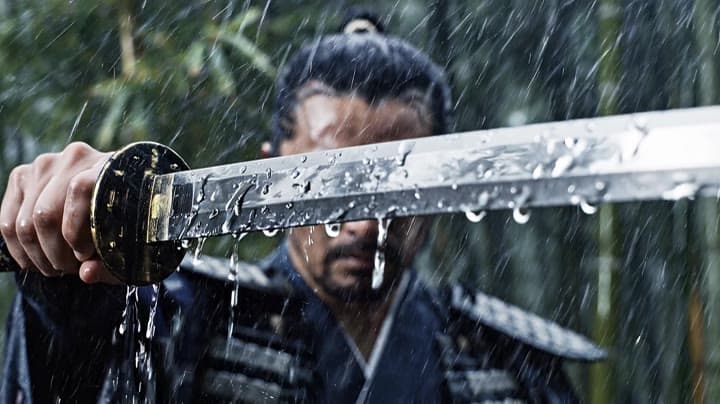
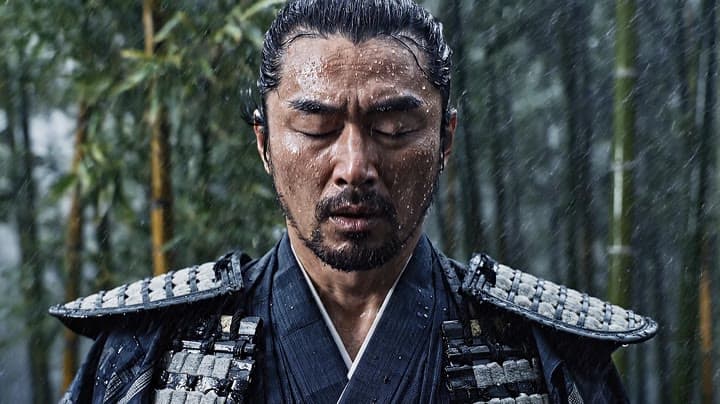
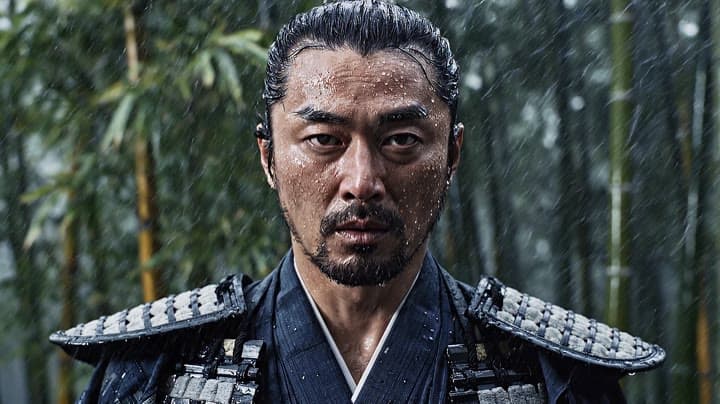
A calm samurai stands alone in a bamboo forest during a storm, holding his katana lowered at his side. Rain falls heavily, bamboo leaves whip in the wind, and thunder briefly illuminates his face. He closes his eyes, br…Show full promptHide full prompt
A calm samurai stands alone in a bamboo forest during a storm, holding his katana lowered at his side. Rain falls heavily, bamboo leaves whip in the wind, and thunder briefly illuminates his face. He closes his eyes, breathes deeply, then opens them with absolute focus. The camera starts in an extreme close-up on raindrops sliding down the blade, then racks focus to the samurai’s eyes in the background. Cinematic Japanese period drama, intense silence before action, natural lighting, high contrast, realistic rain, elegant composition, restrained emotion, slow dramatic pacing.
Workflow
Text to video
Camera
Close Up
Output
8s · 16:9 · 1080p
Recorded render cost
$4.16
Audio
Enabled
Constraints
Text To Video, Audio Enabled, Close Up
Prompt improvement notes
Note 1
Keep the subject, camera move, lighting, duration, aspect ratio and audio requirement grouped so the render has one clear production brief.
Note 2
Change one variable at a time when cloning this prompt: model, duration, camera motion or reference input. That makes quality and price differences easier to compare.
Note 3
Add a short negative prompt if you need to block text overlays, logos, distorted hands, face warping or unwanted camera shake.
Why Google Veo 3.1 fits this shot
Open the engine page for specs, controls, and pricing.
Text-to-video workflow
8-second render in 16:9
Audio-enabled output
Close-up framing
Key frames
Related examples
View all examples Google Veo 3.1 Fast
Veo 3.1 Fast studio interview push-in example
This Veo 3.1 Fast watch page shows a studio interview prompt with a controlled push-in camera move, native audio and documentary-style staging.
 Google Veo 3.1 Fast
Veo 3.1 Fast FPV apartment commercial example
This Veo 3.1 Fast example uses an FPV-style camera move to reveal a staged apartment commercial with sound and polished lighting.
 Kling 3 Pro
Kling 3 Pro Mars terraforming sci-fi video example
This Kling 3 Pro watch page shows a 16:9 text-to-video sci-fi terraforming scene on Mars, using a dolly-in, slow orbit and dramatic red-to-green landscape transformation.
 Kling 3 Pro
Kling 3 Pro neon street multi-shot example
This Kling 3 Pro example demonstrates a multi-shot neon street sequence with rain reflections, native audio and structured scene anchors.