
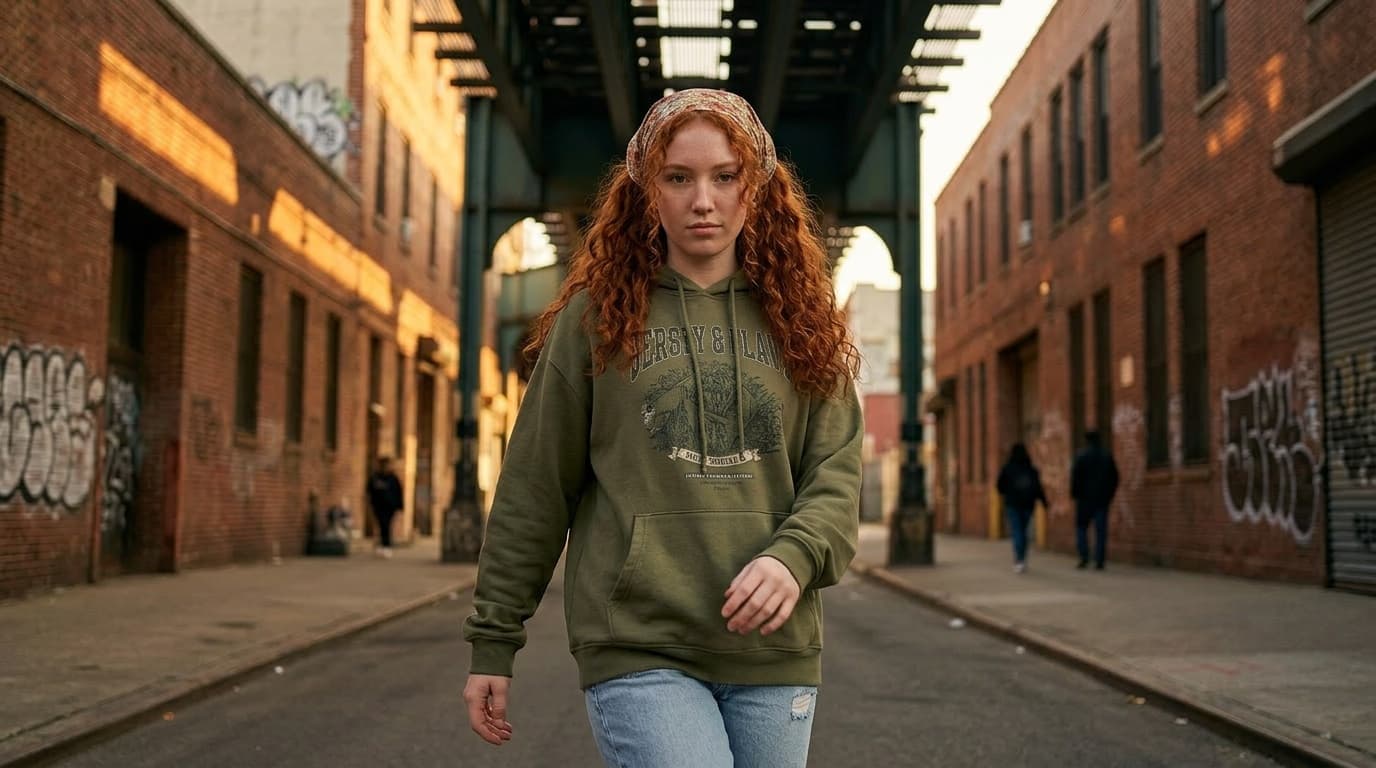
How to Create Consistent AI Characters Across Images and Video
A practical workflow for building one reusable character reference before you move into prompts, scene variations, edits, and still-reference video.
If you want the same person, mascot, or lead character to survive more than one prompt, the workflow needs to start before scene generation.
The fastest way to get consistent AI characters is:
- define the character once
- turn that identity into a reusable reference
- reuse that reference across stills, edits, and video prep
That broad reference-building step is the role of Consistent Character AI inside MaxVideoAI.
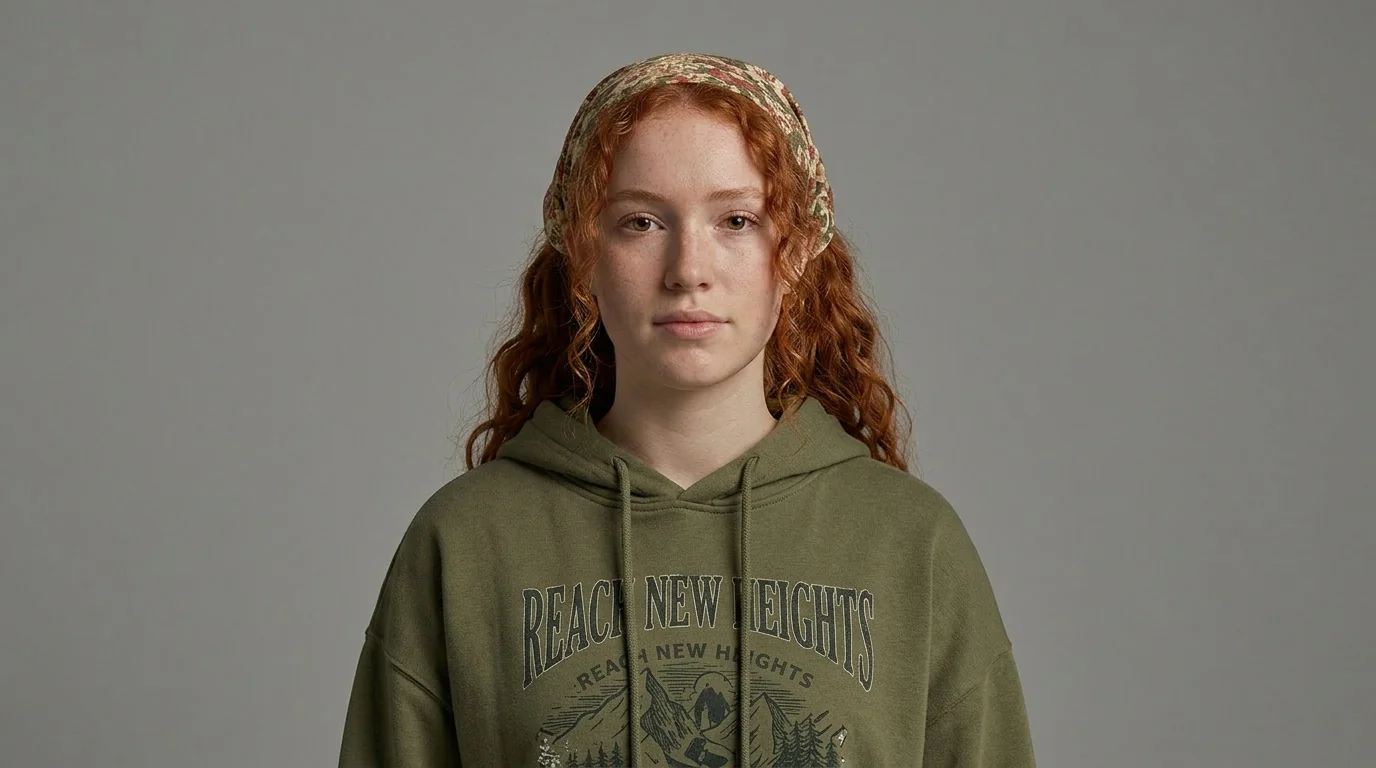
A portrait anchor is the lighter reference: ideal when face continuity matters most before you widen out into scenes or motion.
Why AI characters drift
Most generators can make one strong image. They struggle when you ask for the same character again under different conditions.
The most common causes are practical, not mysterious. Each new prompt gives the model another chance to reinterpret the same character:
- prompt drift from one scene to the next
- pose and framing changes that make identity less stable
- outfit reinterpretation once the camera moves wider
- accessories and silhouette details that get dropped or reinvented
- facial structure that shifts when lighting or angle changes
- weak stills that become even less stable once motion starts
That usually means the face starts to slide first, then the wardrobe and silhouette follow. A character that felt stable in one close-up can start looking less certain the moment you ask for a wider frame, a new pose, or a different mood.
That drift usually shows up in:
- face and hair details
- clothing silhouette
- accessories
- body proportions
- first-frame continuity once you move into motion
If each scene has to rediscover the character, every later prompt gets more expensive and less reliable. Video makes that worse because motion amplifies any ambiguity that already existed in the still.
What kind of starting material is enough
A good consistent-character workflow does not need complicated source material, but it does need a clear identity starting point.
Use one identity photo when the face is already clear and you mainly need the character to stay recognizable later.
Add an outfit reference when wardrobe, silhouette, or signature styling details need to survive wider shots and scene changes.
Use one prior render you trust when it already captures the right face, styling, or mascot design and you want to anchor future generations to that version.
Start from a scratch-built concept when there is no photo yet, but the character direction is already clear enough to describe.
In practice, good starting material is anything that makes the identity decision clear before you ask the model to make more scenes.
What comes out
The goal is not only to create a nice image. The goal is to create a reference you can keep using.
In practice, most teams end up choosing between two useful outputs:
- a portrait anchor for close-ups, prompts, and face-led edits
- an 8-panel character sheet with four full-body angles and four matching close-ups
That is the most important distinction to keep in mind. The goal is not “make the scene.” The goal is “lock the character.”
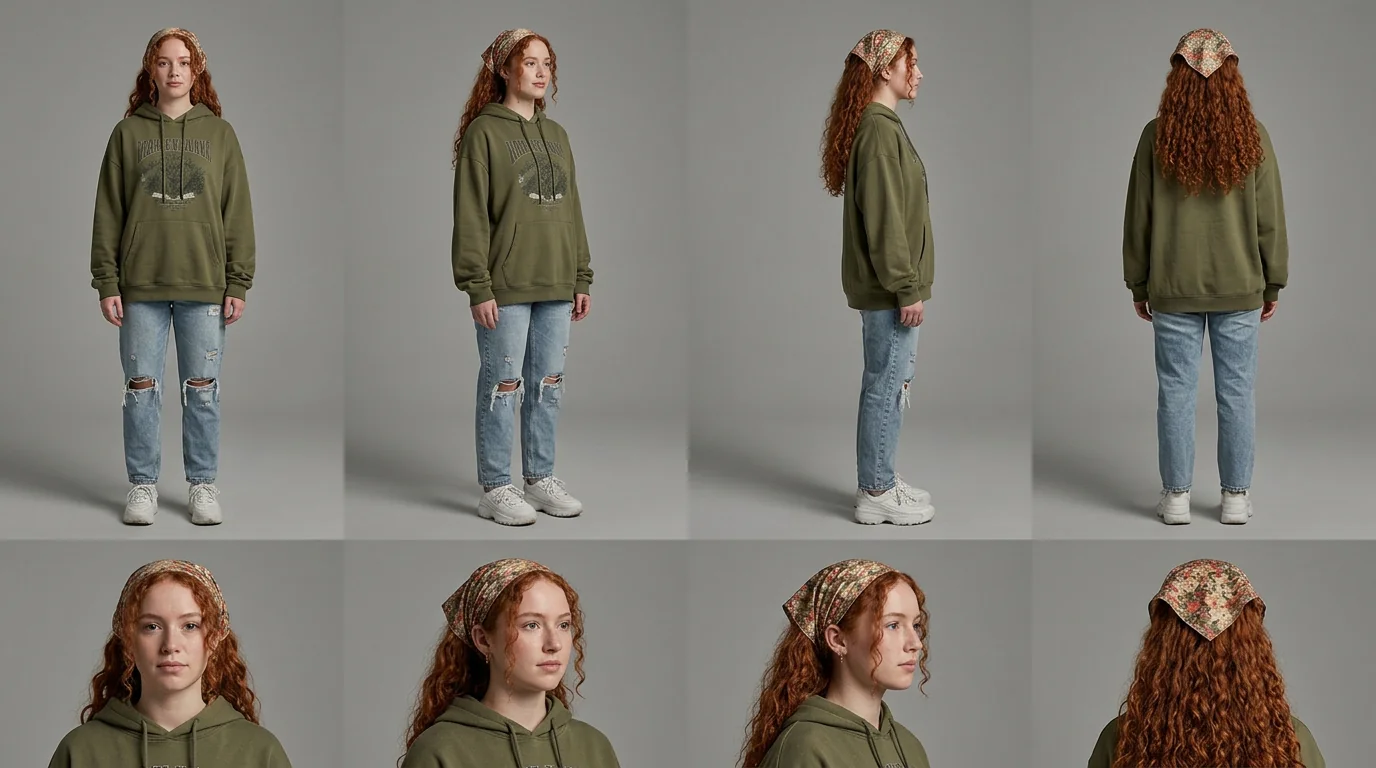
The 8-panel sheet is the broad reference asset. The portrait anchor is the tighter identity asset.
Do you need a portrait anchor or an 8-panel sheet?
This is the first real decision in the workflow.
Use a portrait anchor when:
- the face is the main continuity risk
- close-ups matter most
- prompts and edits will stay relatively tight
- you want a lighter, faster reference workflow
- you do not need full-body coverage yet
Use an 8-panel character sheet when:
- whole-body continuity matters
- outfit and silhouette consistency matter
- the character will return across multiple scene types
- you need a stronger reference for boards, edits, or video prep
- one broad reusable reference is more useful than one tight face anchor
The simplest rule is:
- use a portrait anchor when identity is mainly a face problem
- use an 8-panel sheet when identity is also a body, wardrobe, and silhouette problem
If you want the deeper sheet-specific breakdown, read AI Character Sheet Generator: How to Build an 8-Panel Character Reference.
Where to reuse the reference
Once the character reference exists, the rest of the workflow gets cleaner.
You can reuse it in:
- later scenes where prompt wording changes
- image edits and scene variations
- previs or planning work
- recurring campaign or series assets
- first-frame prep before motion
That is why the reference should come first. It gives later scenes something stable to build from instead of asking each prompt to reconstruct the same character again.
Inside MaxVideoAI, that usually means reusing the reference in Image, Nano Banana start-frame prep, and video workflows that accept still references.
When this beats direct prompting
A prompt-only workflow can work for one-off images.
It gets weaker once the character has to come back more than once.
That is usually the point where prompt-only continuity starts to break:
- recurring characters across scenes
- branded spokespeople or mascots
- story continuity
- image-to-video character consistency
In those cases, the better workflow is to solve identity once, keep a stable reference, and reuse it whenever the character returns.
Direct prompting is often still fine for:
- loose concept exploration
- one-off posters
- non-recurring subjects
- early ideation before identity is approved
But once continuity matters, a reusable reference usually outperforms repeated prompting because you stop asking every new scene to rediscover who the character is.
When you do not need this workflow
You probably do not need a reusable character reference when:
- you only need one hero image
- the subject will not return later
- you are still in loose exploration and identity is not approved
- continuity is less important than variety
In those cases, a simpler prompt-first workflow may be enough. This approach becomes worth the extra structure when continuity is the point, not just image generation itself.
Common mistakes
Treating each scene like a fresh generation
That is the fastest way to lose continuity.
Using scene styling as identity
Environment, lensing, and mood can change. The character reference should survive those changes.
Moving into video before the reference is clear
If the still is weak, motion generation has to invent too much.
Final takeaway
If your goal is only one poster frame, you may not need a reusable reference.
If your goal is a character that has to come back across scenes, edits, or clips, start with the reference first.
In MaxVideoAI, that usually means building the reference in Consistent Character AI, then moving into Image and Video after identity is already stable.