
Luma Ray 2 camera movement example: city tracking
This Luma Ray 2 text to video example shows city tracking. It highlights camera motion control with 5-second timing · 16:9 · 1080p output.
Prompt breakdown
Text-to-video prompt used to generate this render.
Subject
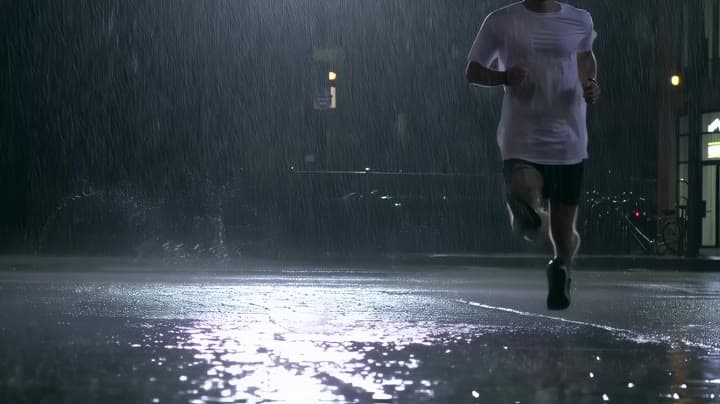
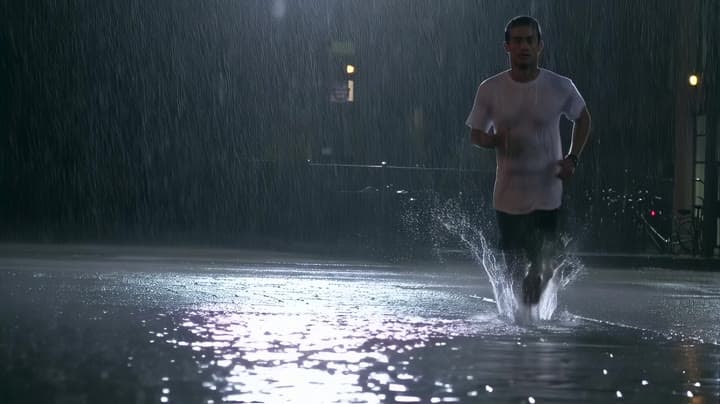
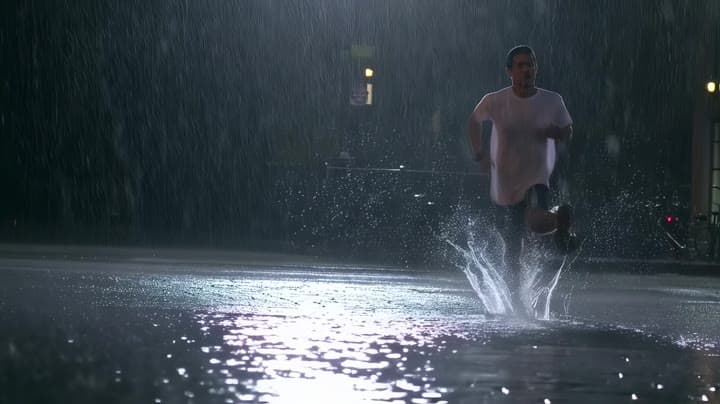
Wide 16:9 cinematic action shot, a runner sprints through a rainy city street at night, water splashes realistically with each step, reflections on wet asphalt, handheld tracking camera following from the side. Dynamic…
Workflow
Text to video
Camera
Tracking
Output
5s · 16:9 · 1080p
Estimated price
$2.60
Audio
Off
Constraints
Text To Video, Tracking
Show full promptHide full prompt
Wide 16:9 cinematic action shot, a runner sprints through a rainy city street at night, water splashes realistically with each step, reflections on wet asphalt, handheld tracking camera following from the side. Dynamic motion with believable inertia and physics, no rubbery limbs, no wobbling background, stable scene geometry, minimal temporal flicker, sharp details despite fast movement, realistic motion blur.
Prompt improvement notes
Note 1
Keep the subject, camera move, lighting, duration, aspect ratio and audio requirement grouped so the render has one clear production brief.
Note 2
Change one variable at a time when cloning this prompt: model, duration, camera motion or reference input. That makes quality and price differences easier to compare.
Note 3
Add a short negative prompt if you need to block text overlays, logos, distorted hands, face warping or unwanted camera shake.
Compare this model
Review this example beside nearby engines before choosing a render path.
Why Luma Ray 2 fits this shot
Use Luma Ray 2 for cinematic text-to-video, image-to-video, modify, and reframe workflows with 5 s or 9 s generation shots, up to 1080p output, source-video editing, and reframing tools inside MaxVideoAI.
Image input
9s max
Key frames
Related examples
View all examples Luma Ray 2
Kling 3 Pro neon street multi-shot example
This Kling 3 Pro example demonstrates a multi-shot neon street sequence with rain reflections, native audio and structured scene anchors.
 Luma Ray 2
Kling 3 Standard rainy neon street multi-shot example
This Kling 3 Standard page shows a rainy neon street prompt with multi-shot structure, audio-enabled pacing and cinematic reflections.
 Luma Ray 2
Veo 3.1 Fast FPV apartment commercial example
This Veo 3.1 Fast example uses an FPV-style camera move to reveal a staged apartment commercial with sound and polished lighting.
 Luma Ray 2
Veo 3.1 Fast studio interview push-in example
This Veo 3.1 Fast watch page shows a studio interview prompt with a controlled push-in camera move, native audio and documentary-style staging.