
MiniMax Hailuo 02 Standard camera movement example: city camera move
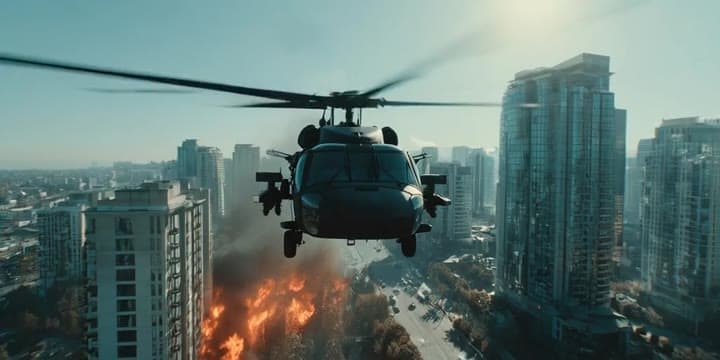
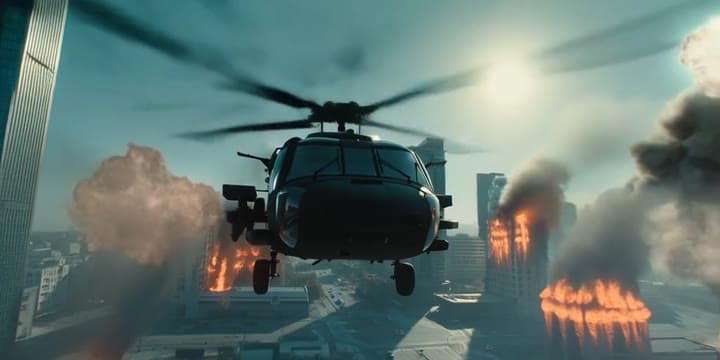
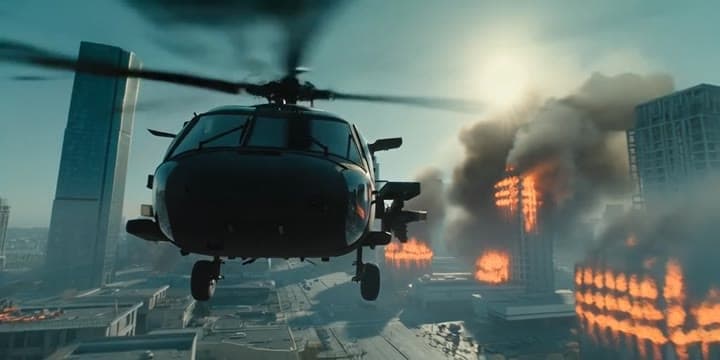
This MiniMax Hailuo 02 Standard text to video example shows city camera move. It highlights camera motion control with 10-second timing · 2:1 output.
Prompt breakdown
Prompt used to generate this render.
Using the input image of the helicopter flying over a burning city in daylight, create an 8–10 second cinematic 16:9 shot where the camera moves backwards while the helicopter flies straight towards the camera. At the s…Show full promptHide full prompt
Using the input image of the helicopter flying over a burning city in daylight, create an 8–10 second cinematic 16:9 shot where the camera moves backwards while the helicopter flies straight towards the camera. At the start of the shot, the helicopter is medium distance in front of the camera, facing the viewer, flying low over a modern city. The camera is positioned slightly above the helicopter’s nose, looking down and forward, so we see the rotor spinning on top, the cockpit windows and the burning city below. As the clip plays, the helicopter keeps flying forward in a straight line, gradually getting closer and larger in frame, while the camera performs a smooth backward dolly move to maintain a comfortable distance. The motion should feel like a controlled aerial tracking shot from an action movie, not shaky. Below, several buildings continue to burn: bright orange flames in windows, thick grey smoke rising into a clear blue sky. From time to time, new explosions appear far below and in the distance — short, stylised firebursts and expanding smoke on a few isolated rooftops. No people, no vehicles and no debris are visible; the streets look empty, as if the area has already been evacuated. Lighting stays consistent with a sunny daytime scene: strong directional sunlight from one side, clean blue sky, light atmospheric haze softening the far skyline. The helicopter is always the clear focal point in the centre of the frame, with the city and explosions supporting the sense of scale. Do not add any HUD, targeting reticles, text overlays or UI elements; keep the look purely realistic and cinematic.
Workflow
Text to video
Camera
Tracking, Drone
Output
10s · 2:1
Recorded render cost
$0.52
Audio
Off
Constraints
Text To Video, Camera Move, Tracking
Prompt improvement notes
Note 1
Keep the subject, camera move, lighting, duration, aspect ratio and audio requirement grouped so the render has one clear production brief.
Note 2
Change one variable at a time when cloning this prompt: model, duration, camera motion or reference input. That makes quality and price differences easier to compare.
Note 3
Add a short negative prompt if you need to block text overlays, logos, distorted hands, face warping or unwanted camera shake.
Compare this model
Review this example beside nearby engines before choosing a render path.
Why MiniMax Hailuo 02 Standard fits this shot
Hailuo 02 Standard handles stylized text prompts or animated reference stills with prompt optimiser support.
Prompt optimiser
Image input
6–10s silent
Key frames
Related examples
View all examples Kling 3 Pro
Kling 3 Pro futuristic city drone flythrough example
This Kling 3 Pro example demonstrates a futuristic city flythrough with continuous drone-style motion and a seamless interior transition.
 Kling 3 Pro
Kling 3 Pro Mars terraforming sci-fi video example
This Kling 3 Pro watch page shows a 16:9 text-to-video sci-fi terraforming scene on Mars, using a dolly-in, slow orbit and dramatic red-to-green landscape transformation.
 Seedance 2.0
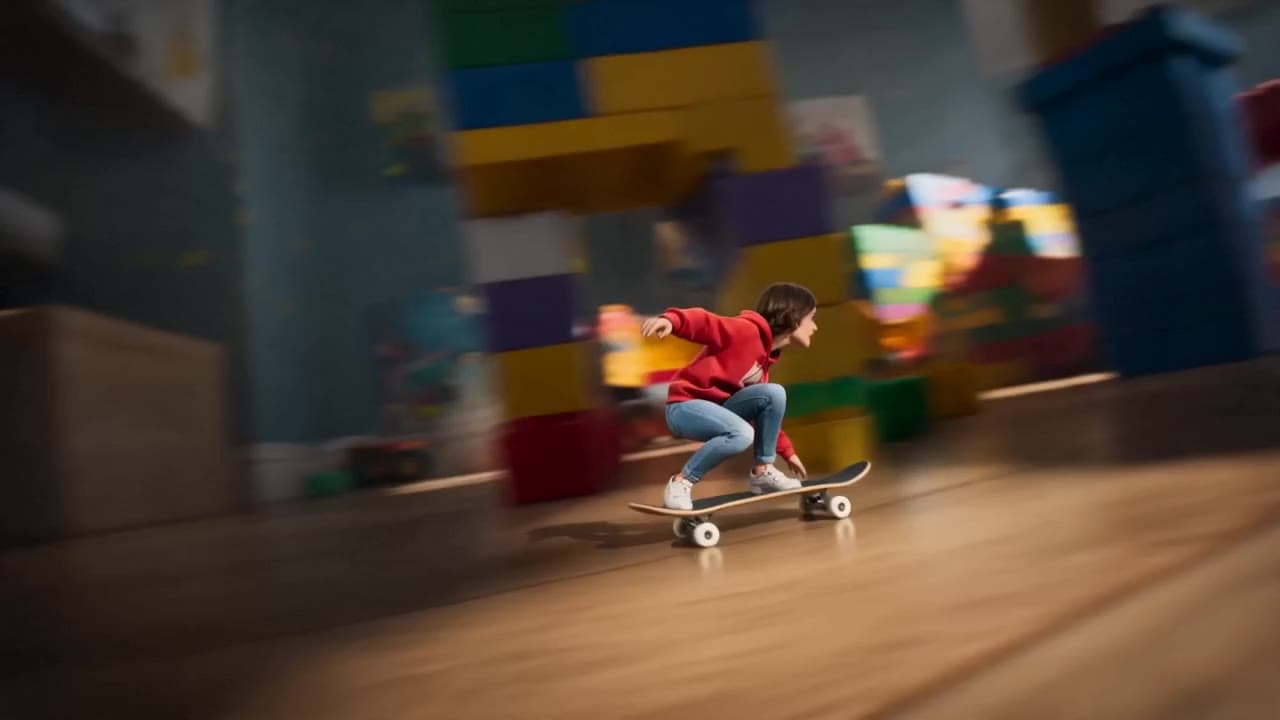
Seedance 2.0 miniature bedroom skateboard chase video example
This Seedance 2.0 text-to-video with audio example turns a children’s bedroom into a cinematic macro-scale chase sequence. A tiny skateboard rider races through oversized toy blocks, books, furniture, a rolling toy ball and a closing toy box, while the camera stays low to the floor in a fast continuous tracking shot. Use it as a reference for AI text-to-video camera movement, miniature world prompts, toy-scale action scenes and whimsical cinematic chase videos.
 Google Veo 3.1 Fast
Veo 3.1 Fast FPV apartment commercial example
This Veo 3.1 Fast example uses an FPV-style camera move to reveal a staged apartment commercial with sound and polished lighting.