
kling 3 Standard product ad example: High-end futuristic studio, glossy
Draft watch-page candidate from the next SEO shortlist. Model: Kling 3 Standard. Workflow: Text-to-video + audio. Intent: product-ad. Visual review is required before approval.
Prompt breakdown
Prompt used to generate this render.
Multi-shot (Text→Video). 15s. 16:9. Audio: on. Scene anchors: High-end futuristic studio, glossy reflective floor, curved light panels, light volumetric haze, clean minimal set, cinematic commercial lighting. Shots: Sho…Show full promptHide full prompt
Multi-shot (Text→Video). 15s. 16:9. Audio: on. Scene anchors: High-end futuristic studio, glossy reflective floor, curved light panels, light volumetric haze, clean minimal set, cinematic commercial lighting. Shots: Shot 1 (0–4s): Medium shot of a confident female presenter stepping into frame. She raises her open hand slowly toward camera. Smooth dolly-in. One action: step in + raise hand. Shot 2 (4–9s): Close-up on her hand as a small floating glass orb forms above her palm, glowing softly with swirling particles inside. Slow orbit camera move. One action: orb appears and stabilizes. Shot 3 (9–13s): Wide shot. She gently gestures; the orb expands into a shimmering light ring that ripples across the glossy floor reflections. Controlled crane up. One action: ring expands and ripples. Shot 4 (13–15s): Clean landing. The presenter holds a calm smile, the orb floats near shoulder level, stable composition, no new action, camera settles. Audio: Ambience: airy studio room tone. SFX: subtle energy hum + one soft “whoosh” during ring expansion. Dialogue (short): <<<voice_1>>> “Make your next shot feel impossible.” Constraints: No logos. No readable text. No subtitles/overlays. No UI. No extra characters. Motion smooth and premium (not chaotic). Negative: no text, no letters, no numbers, no logos, no captions, no subtitles, no watermarks, no glitch, no jitter, no extra fingers, no warped hands, no distorted faces.
Workflow
Text to video
Camera
Close Up
Output
10s · 16:9 · 1080p
Recorded render cost
$3.28
Audio
Enabled
Constraints
Text To Video, Audio Enabled, Camera Move
Shot type
customize
Prompt improvement notes
Note 1
Keep the subject, camera move, lighting, duration, aspect ratio and audio requirement grouped so the render has one clear production brief.
Note 2
Change one variable at a time when cloning this prompt: model, duration, camera motion or reference input. That makes quality and price differences easier to compare.
Note 3
Add a short negative prompt if you need to block text overlays, logos, distorted hands, face warping or unwanted camera shake.
Note 4
For product shots, keep the product name generic, describe materials and lighting, and avoid adding too many scene changes in one clip.
Compare this model
Review this example beside nearby engines before choosing a render path.
Why Kling 3 Standard fits this shot
Kling 3 Standard brings multi-prompt sequencing and start-frame image-to-video at a lower per-second rate.
Multi-prompt
Start frame
Audio native
Key frames
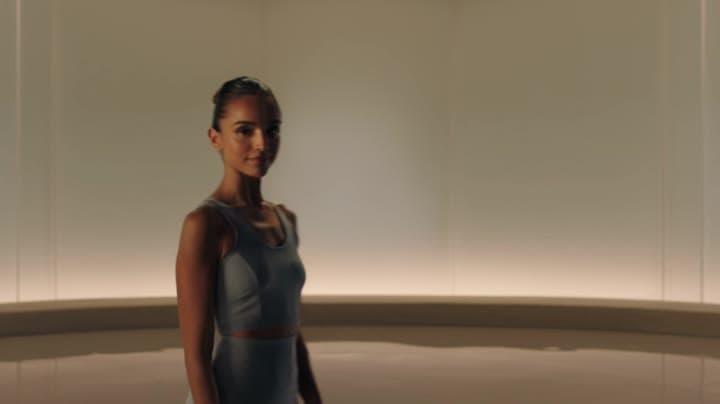
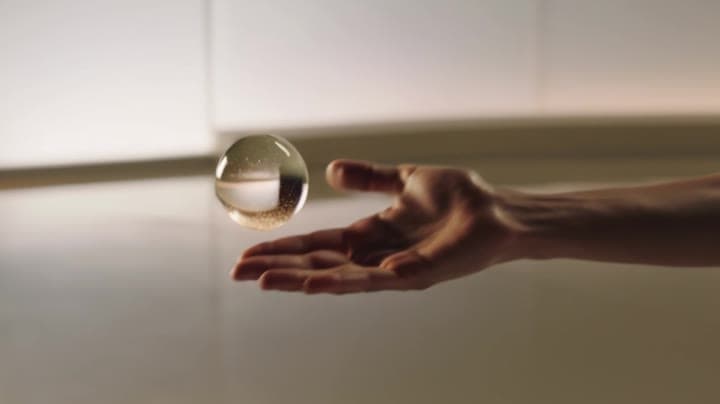
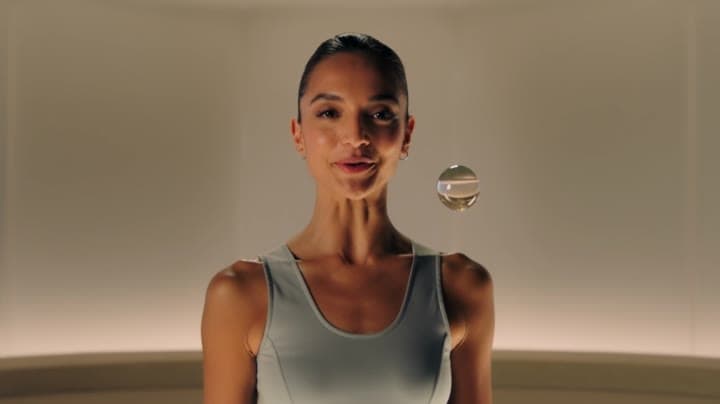
Related examples
View all examples Kling 3 Standard
Kling 3 Standard rainy neon street multi-shot example
This Kling 3 Standard page shows a rainy neon street prompt with multi-shot structure, audio-enabled pacing and cinematic reflections.
 Kling 3 Pro
Kling 3 Pro neon street multi-shot example
This Kling 3 Pro example demonstrates a multi-shot neon street sequence with rain reflections, native audio and structured scene anchors.
 LTX 2.3 Fast
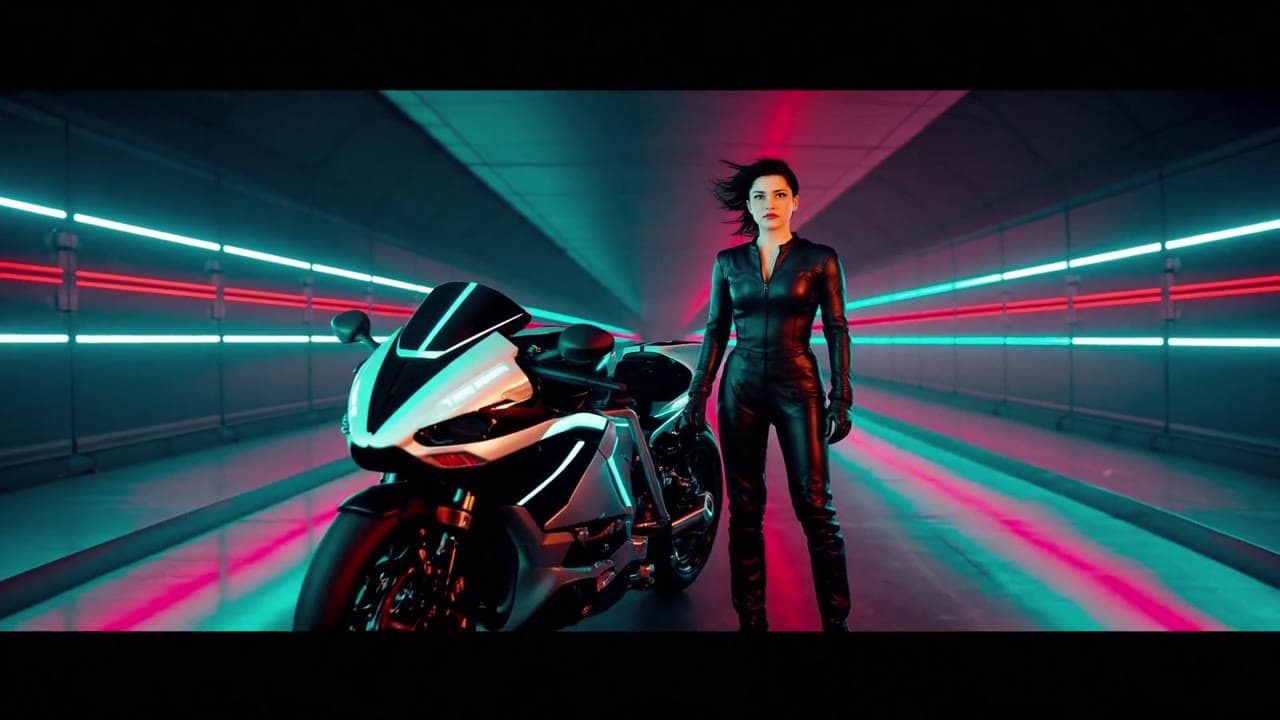
LTX 2.3 Fast neon racer reveal example
This LTX 2.3 Fast example shows a neon racer reveal beside a futuristic motorcycle, testing character motion and product-ad framing.
 Seedance 2.0
Seedance 2.0 AI SaaS product ad video example
This Seedance 2.0 text-to-video with audio example shows how an AI SaaS or enterprise software product ad can use cinematic control room visuals, glowing monitor walls, polished lighting, and confident pacing to create a premium commercial look. Use it as a reference for startup launch videos, AI platform ads, software promos, and B2B product commercials that need more atmosphere than a basic product demo.