
LTX 2.3 Fast neon racer reveal example
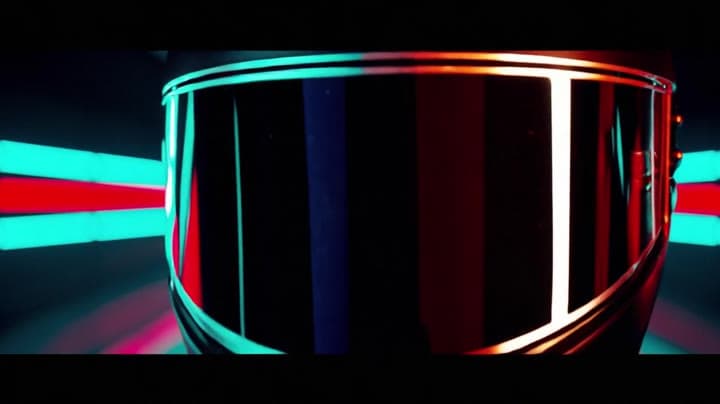
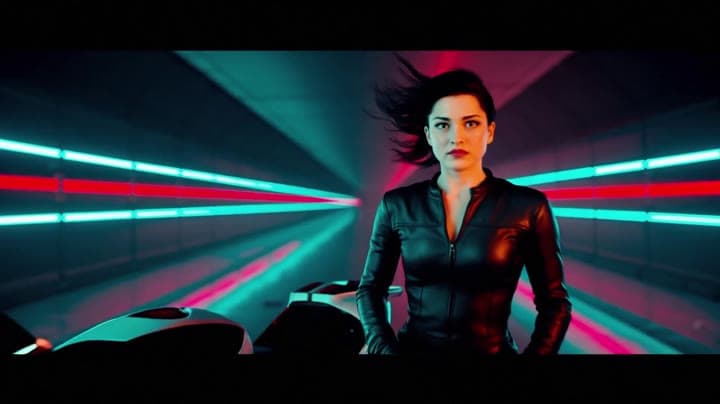
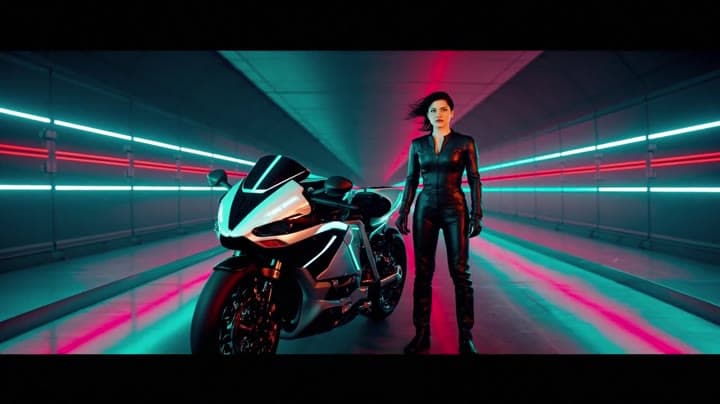
This LTX 2.3 Fast example shows a neon racer reveal beside a futuristic motorcycle, testing character motion and product-ad framing.
Prompt breakdown
Prompt used to generate this render.
A charismatic female racer in a black leather suit stands beside a futuristic motorcycle in a dark neon tunnel. She removes her helmet in one confident motion, revealing sharp eyes and wind-tossed hair as the tunnel lig…Show full promptHide full prompt
A charismatic female racer in a black leather suit stands beside a futuristic motorcycle in a dark neon tunnel. She removes her helmet in one confident motion, revealing sharp eyes and wind-tossed hair as the tunnel lights ignite behind her in a rapid wave of electric color. The camera begins in a tight close-up on the helmet, then pulls back smoothly into a clean wide hero shot with the bike and glowing tunnel perfectly framed. Strong contrast, glossy surfaces, neon cyan and red highlights, subtle haze, bold premium commercial look, instantly readable and scroll-stopping. Electric hum, distant engine echo, soft reverb in the tunnel, no text, no logos, no watermark.
Workflow
Text to video
Camera
Close Up
Output
10s · 16:9 · 1080p
Recorded render cost
$0.52
Audio
Enabled
Constraints
Text To Video, Audio Enabled, Close Up
Prompt improvement notes
Note 1
Keep the subject, camera move, lighting, duration, aspect ratio and audio requirement grouped so the render has one clear production brief.
Note 2
Change one variable at a time when cloning this prompt: model, duration, camera motion or reference input. That makes quality and price differences easier to compare.
Note 3
Add a short negative prompt if you need to block text overlays, logos, distorted hands, face warping or unwanted camera shake.
Note 4
For product shots, keep the product name generic, describe materials and lighting, and avoid adding too many scene changes in one clip.
Compare this model
Review this example beside nearby engines before choosing a render path.
Why LTX 2.3 Fast fits this shot
Generate fast AI video with LTX 2.3 Fast on MaxVideoAI. Text and image workflows support 6–20s clips, 1080p/1440p/4K, native audio, and 25/50 fps options.
Image input
Audio option
20s max
Key frames
Related examples
View all examples LTX 2.3 Pro
LTX 2.3 Pro rooftop lightning fashion shot example
This LTX 2.3 Pro page shows a rooftop fashion prompt with storm lighting, neon city atmosphere and cinematic subject isolation.
 Seedance 2.0
Seedance 2.0 AI SaaS product ad video example
This Seedance 2.0 text-to-video with audio example shows how an AI SaaS or enterprise software product ad can use cinematic control room visuals, glowing monitor walls, polished lighting, and confident pacing to create a premium commercial look. Use it as a reference for startup launch videos, AI platform ads, software promos, and B2B product commercials that need more atmosphere than a basic product demo.
 Seedance 2.0 Fast
Seedance 2.0 Fast pizza ad example in vertical multi-shot format
This Seedance 2.0 Fast text-to-video with audio example shows how a pizza or restaurant brand can create a vertical multi-shot product ad for social platforms. The sequence uses food-focused visuals, quick commercial pacing, 9:16 framing, and a polished ad structure that works well for restaurant promos, delivery campaigns, food brands, short-form ads, and social media product commercials.
 Google Veo 3.1 Fast
Veo 3.1 Fast living room TV commercial example
This Veo 3.1 Fast watch page shows a bright living-room TV commercial prompt with native audio, controlled staging and a 16:9 ad format.