
Luma Ray 2 camera movement example: studio push-in
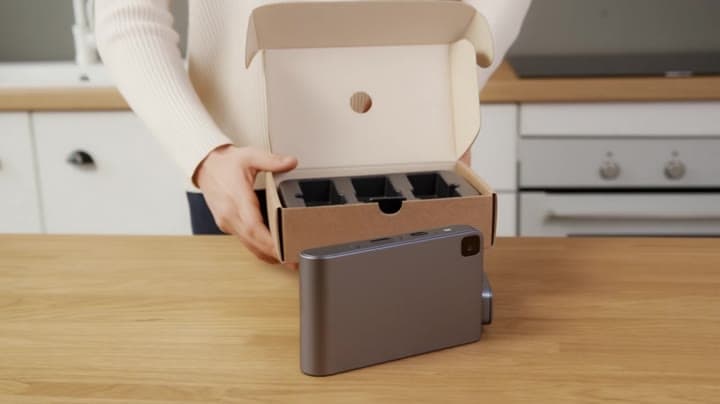
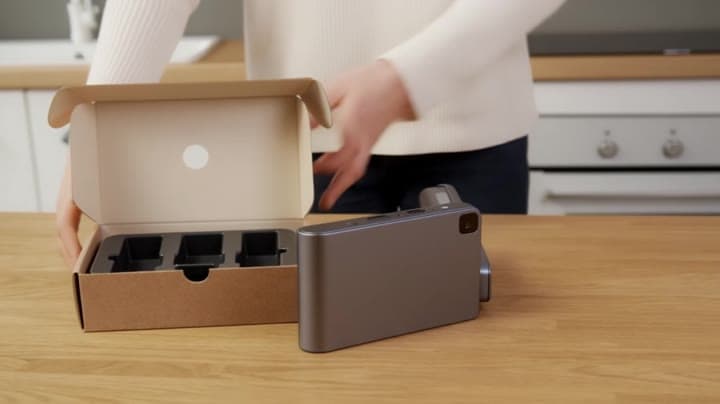
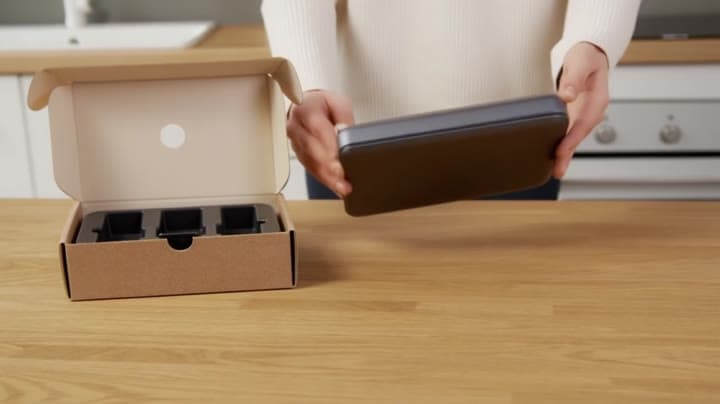
This Luma Ray 2 text to video example shows studio push-in. It highlights camera motion control with 5-second timing · 16:9 · 720p output.
Prompt breakdown
Prompt used to generate this render.
Wide 16:9 full-body unboxing video in a clean studio/kitchen setting. A person is fully visible (head-to-toe or at least head-to-knees) standing behind a minimalist tabletop. They unbox a small generic gadget from a pla…Show full promptHide full prompt
Wide 16:9 full-body unboxing video in a clean studio/kitchen setting. A person is fully visible (head-to-toe or at least head-to-knees) standing behind a minimalist tabletop. They unbox a small generic gadget from a plain matte cardboard box: peel the seal, open the lid, remove the inner tray, take out the device and accessories, and lay everything neatly on the table. The person occasionally lifts the item toward the camera for a closer look, then places it back down. Realism requirements: natural body proportions, stable identity, realistic skin and clothing fabric, no face warping, no unnatural limb bending. Hands must be highly realistic: correct finger count, natural grip, believable pressure/contact with the box and device, consistent shadows, no extra fingers, no “floating” objects. Keep object geometry stable, no wobbling background, minimal temporal flicker. Camera: single continuous shot, tripod-stable, slight cinematic push-in (very slow), eye-level or slightly above table height. Natural soft daylight, clean shadows, realistic materials and textures. No logos, no brand names, no watermarks. No subtitles. Optional on-screen title at the top (perfectly readable and stable, no jitter): "UNBOXING — FIRST LOOK"
Workflow
Text to video
Camera
Push In
Output
5s · 16:9 · 720p
Recorded render cost
$1.30
Audio
Off
Constraints
Text To Video, Push In
Prompt improvement notes
Note 1
Keep the subject, camera move, lighting, duration, aspect ratio and audio requirement grouped so the render has one clear production brief.
Note 2
Change one variable at a time when cloning this prompt: model, duration, camera motion or reference input. That makes quality and price differences easier to compare.
Note 3
Add a short negative prompt if you need to block text overlays, logos, distorted hands, face warping or unwanted camera shake.
Compare this model
Review this example beside nearby engines before choosing a render path.
Why Luma Ray 2 fits this shot
Use Luma Ray 2 as a previous-generation Luma route for legacy text-to-video, image-to-video, modify, and reframe workflows, while starting new Luma edit work on Ray 3.2.
Image input
9s max
Key frames
Related examples
View all examples Kling 3 Pro
Kling 3 Pro neon street multi-shot example
This Kling 3 Pro example demonstrates a multi-shot neon street sequence with rain reflections, native audio and structured scene anchors.
 Kling 3 Standard
Kling 3 Standard rainy neon street multi-shot example
This Kling 3 Standard page shows a rainy neon street prompt with multi-shot structure, audio-enabled pacing and cinematic reflections.
 Google Veo 3.1 Fast
Veo 3.1 Fast studio interview push-in example
This Veo 3.1 Fast watch page shows a studio interview prompt with a controlled push-in camera move, native audio and documentary-style staging.
 Wan 2.6 Text & Image to Video
Wan 2.6 rainy neon thriller sequence example
This Wan 2.6 page shows a rainy neon thriller prompt with multi-shot direction, smooth camera work and audio-enabled pacing.